
How to Create a Method Statement with AI RAMS, Step by Step
Here is how to create a method statement in AI RAMS, our own product: describe the job in a method statement chat, answer its follow-up questions and generate a draft. Then edit the draft to add what only you know, make the risk assessment in its own chat, check that the two agree and download them as PDF or Word.
This guide is for when a client, letting agent or principal contractor has asked you for a method statement and you would rather not start from a blank page.
HSE says method statements are not required by law for most construction work, so if you are not sure you need one at all, run the 30-second check for small jobs first. If you want to know what each section should contain, or would rather fill in a free template, see how to write a method statement.
What to have to hand before you create a method statement
Gather these first. You tell the chat about the job, the site and who is on it. Names, cards and emergency details go in when you edit the draft in step 4.
- The job. What you are doing, where, on which days, and the order you will do it in.
- The people. Who is doing the work, who is in charge on site, and any cards or training the client wants listed, such as CSCS cards.
- The site. How you get in, where you park and unload, and who else will be around, such as staff, occupants, the public or other trades. For a building built or refurbished before 2000, also what is known about asbestos in anything you will remove, drill or cut.
- The emergency details. Who your first aider is and where the nearest A&E is for this site.
If the person asking said "RAMS", they want a risk assessment as well. In AI RAMS that is a separate document, covered in step 5.
Step 1: Start a method statement chat and describe the job
Sign up and start a new method statement. No card is needed: creating, previewing and editing are free, and you pay only when you download. Each document in AI RAMS has its own chat, so a method statement chat makes a method statement and nothing else.
Describe the job in your own words, as you would to someone joining you on it: what the work is, where and when, who is doing it, and in what order. The more specific you are, the better the draft fits the job. Here is a made-up example from a joiner whose client, an office's facilities manager, has asked for RAMS:
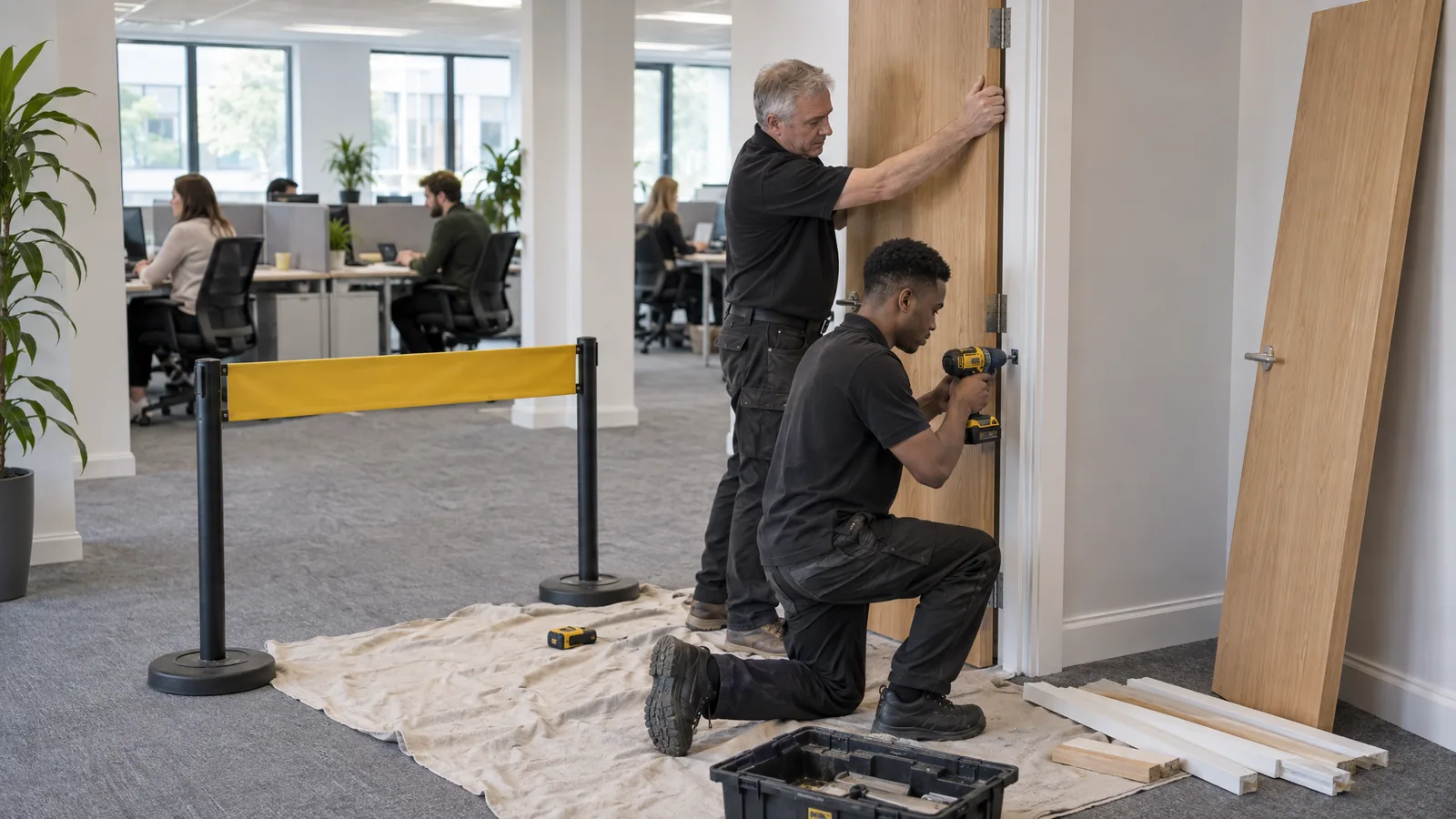
"Replace six internal doors and the MDF skirting in a ground-floor office. Two of us, Tuesday and Wednesday. The office stays open, so staff will be working around us. We'll cut the doors and skirting outside, next to the van."
Step 2: Answer the follow-up questions
After your description, the method statement chat asks follow-up questions. They are about how the work will actually be done, so what it asks depends on the job. Expect questions about:
- safety-critical points first, where they apply: whether anything you remove, drill or cut could contain asbestos, how you reach any work at height, and how dust or fumes are controlled
- the order of the work, from setting up to clearing away
- access to the site and the working area
- the tools, equipment and materials at each stage
- who is on the job and who supervises
- controls you already plan to use
- who else could be affected, such as staff, occupants or the public
- anything that must be isolated or checked before a stage starts
Answer plainly, and if you do not know something yet, say so rather than guess.
For the office job, settle the asbestos question first: if you suspect asbestos in anything you will remove or cut into, stop and get it checked. After that, the answers that matter are things like how dust from cutting the MDF is controlled at the saw, how staff are kept away from the doorways being worked on and how the old doors leave the building.
The chat concentrates on the work itself. It does not ask about first aid or the nearest A&E, and it may not ask for names or card details, so you add those in step 4.
When it has enough, it shows a summary of what it has understood. If anything in the summary is wrong, say so in the chat before you generate.
Step 3: Generate the method statement and read the preview
When the summary is right, generate. AI RAMS drafts the method statement in minutes and shows it as a watermarked preview.
Read the preview as the person who will do the job. Does each step match how you will actually work, in the order you will do it? A sequence can read well and still not fit your site, and you are the one who can tell.
Step 4: Edit the draft and add what only you know
Open the draft in the editor and work through it. The draft only knows what you told the chat, so check these in particular:
- Names and cards. Who is doing the work, who is in charge, and any cards or training the client asked to see.
- Site details. The address, the way in, where you park, unload and cut, and how others are kept out of the work area.
- Emergency details. Your first aider and the nearest A&E for this site. The chat does not ask about them, so until you add them the draft's emergency section is general.
- Controls and equipment. Controls you will not use, controls you will use that are missing, and equipment you will not have on site. Delete, add or correct them.
- Items to confirm. Anything you told the chat you did not know goes into the draft as something to confirm before work starts. Settle each one, or name who will and by when.
- Sign-off. Who prepared it, the date, and what would make you review it, such as a change of scope or method.
For what each section should contain, see the method statement guide.
Step 5: Make the risk assessment and check the two agree
The legal duty behind RAMS is a suitable and sufficient risk assessment, under regulation 3 of the Management of Health and Safety at Work Regulations 1999. HSE's guidance on construction paperwork describes a method statement as drawing together the hazards and their controls from the conclusions of the risk assessment, so the two documents need to agree.
The risk assessment is a second document with its own chat. That chat works the same way, and it also asks whether you want a risk matrix in the document.
Either document can come first. If you made the other one for the same job in the last week, the new chat asks whether it is for the same job and, if you say yes, carries over its description, facts, hazards and controls, so it asks only about what is missing. From a finished risk assessment, you can also choose Create method statement from this in the editor's menu. If you have started neither, doing the risk assessment first fits HSE's description, since the method statement draws on its conclusions.
After that, each document is edited on its own, and AI RAMS does not check that the two agree. Before either is sent, put them side by side and check that:
- every control in the risk assessment appears at the right step of the method statement
- the PPE is the same in both
- the job, site, dates and people match
- anything you changed in one while editing is changed in the other
If your risk assessment started as a template instead, adapt it to this job first (see how to adapt a risk assessment template), then run the same check.
If the job uses or makes hazardous substances. These are assessed separately, in a COSHH assessment. In the office job, that could mean the dust from cutting MDF skirting or any adhesive used to fix it. In AI RAMS a COSHH assessment is a third document with its own chat, which can read a photo of a product label or a safety data sheet. Our COSHH assessment guide explains what one needs.
Step 6: Download it, then keep it current
To put your logo on the documents, add it on the Branding page first. When the documents are right, download them as PDF or Word. Downloading is the paid step: you pay once per document, which unlocks its PDF and Word downloads, including after later edits, or take Pro for unlimited downloads. If the person who asked wants the method statement on their own form, the Word version makes the content easier to copy across.
Then put it to use. Talk the team through it before work starts, keep a copy on site, and check the work is done the way it says: HSE notes that checking this on site is a useful way to monitor the work. If the job changes, such as a new method, different equipment or another trade working nearby, edit the document and download it again.
What AI RAMS does not do
- Construction phase plans. AI RAMS does not make them. If you are the only contractor on a construction project, you must draw one up, or have one drawn up, before setting up the site (regulation 15(5) of the Construction (Design and Management) Regulations 2015). HSE's CIS80 sheet includes a template, and the small-job guide explains when you need one.
- Other paperwork. It makes three documents: risk assessments, method statements and COSHH assessments. Permits to work, toolbox talks and other paperwork are outside it.
- The planning of higher-risk work. Every lifting operation that uses lifting equipment, for example, must be properly planned by a competent person (regulation 8 of the Lifting Operations and Lifting Equipment Regulations 1998). A method statement can record that plan; it does not replace it.
- The final check. The draft is a starting point built from your answers. You check it, you sign it and you own it. For checks specific to AI-drafted documents, see how to check an AI-drafted risk assessment.
If you are still choosing between a template, a drafting tool and a consultant, our comparison of the three routes sets out the trade-offs. Otherwise, start the chat with the job in front of you, and come back to steps 4 and 5 before you download.
Frequently asked questions
Can AI write a method statement for me?
It can draft one for you to check. In AI RAMS, our own product, you describe the job in a method statement chat, answer its follow-up questions and get a draft in minutes. The draft only knows what you told the chat, so you add names, cards, site and emergency details, correct its controls and equipment, and sign it off before it goes anywhere.
What should I check before I send a method statement made in AI RAMS?
Check that each step matches how you will actually work, in that order. Check that the names, cards, way in, first aider and nearest A&E are right for this site, and settle anything left to confirm. Then put it next to the risk assessment and check that every control appears at the right step and the PPE is the same in both.
Does AI RAMS make the risk assessment at the same time?
No. Each document has its own chat, so the risk assessment is a second document. If you made one of them for the same job in the last week, the other chat can carry over its description, facts, hazards and controls and ask only about what is missing. After that, AI RAMS does not check that the two agree, so compare them before either is sent.
Can I download the method statement as a Word document?
Yes. When the documents are right, you can download them as PDF or Word. The Word version makes the content easier to copy across if the person who asked wants the method statement on their own form. You pay once per document, which unlocks its PDF and Word downloads, including after later edits, or take Pro for unlimited downloads.
Is it free to create a method statement in AI RAMS?
Creating, previewing and editing are free, and no card is needed to start. You see the draft as a watermarked preview before you pay anything. Downloading is the paid step: you pay once per document, which unlocks its PDF and Word downloads, including after later edits, or take Pro for unlimited downloads.
By Filip Perkon, Director, AI RAMS. Legal points last checked on 5 October 2026 against HSE guidance and legislation.gov.uk. This is general information, not legal advice.
Ready to try AI-powered RAMS?
Create, preview and edit documents free, with no card needed. Pay only when you download.
Start free